MindMark logoMindMark
Available on Chrome Web Store

Highlight once.Remember forever.

MindMark is a Chrome extension that captures web highlights and syncs them across devices.
MindMark product screenshot

How It Works

From Install to Recall in Three Steps

No setup friction. No steep learning curve. Just read, highlight, and remember.

01

Install the Extension

Add MindMark to Chrome in seconds. No account required to start capturing.

02

Highlight as You Read

Select any text on any webpage. Tag it with an intent — Insight, Fact, Question, or Quote — and add a note if you want.

03

Review and Recall

Open the side panel to see all highlights for the current page, organized by label. Sign in to sync across devices.

Benefits

Built for Deep Reading

Capture highlights in seconds, then organize them with labels and notes so you can recall what matters.

01

Capture While You Read

Save important lines directly on the page without breaking your reading flow.
02

Organize Your Way

Use default categories or add your own so each highlight is easy to find later.
03

Review by Page

See saved highlights with source context, then turn them into notes when needed.
04

Sync to Cloud

Back up your highlights online and access them across devices when you sign in.

Features

Core Product Features

Everything you need to capture, label, and revisit what matters while you read.
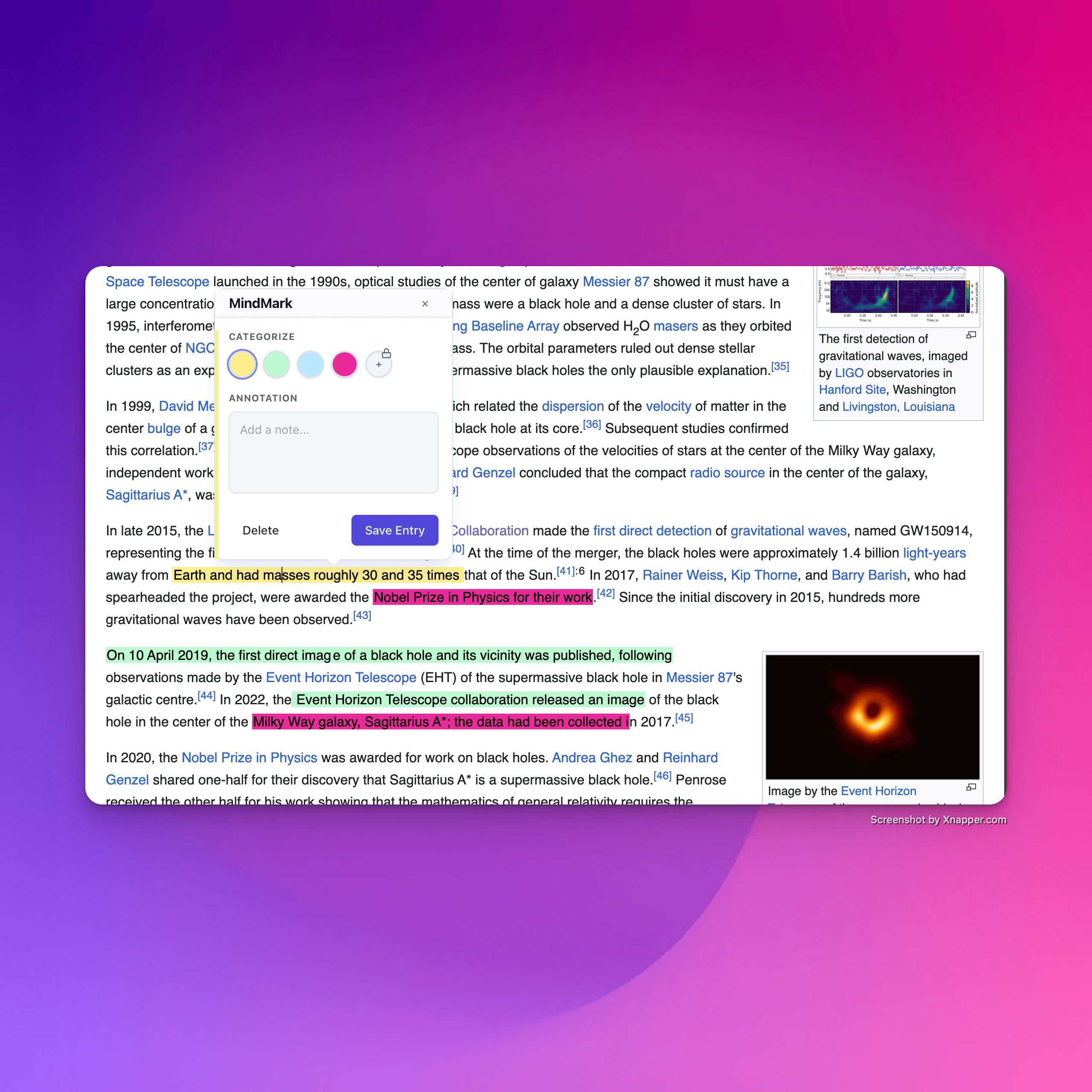
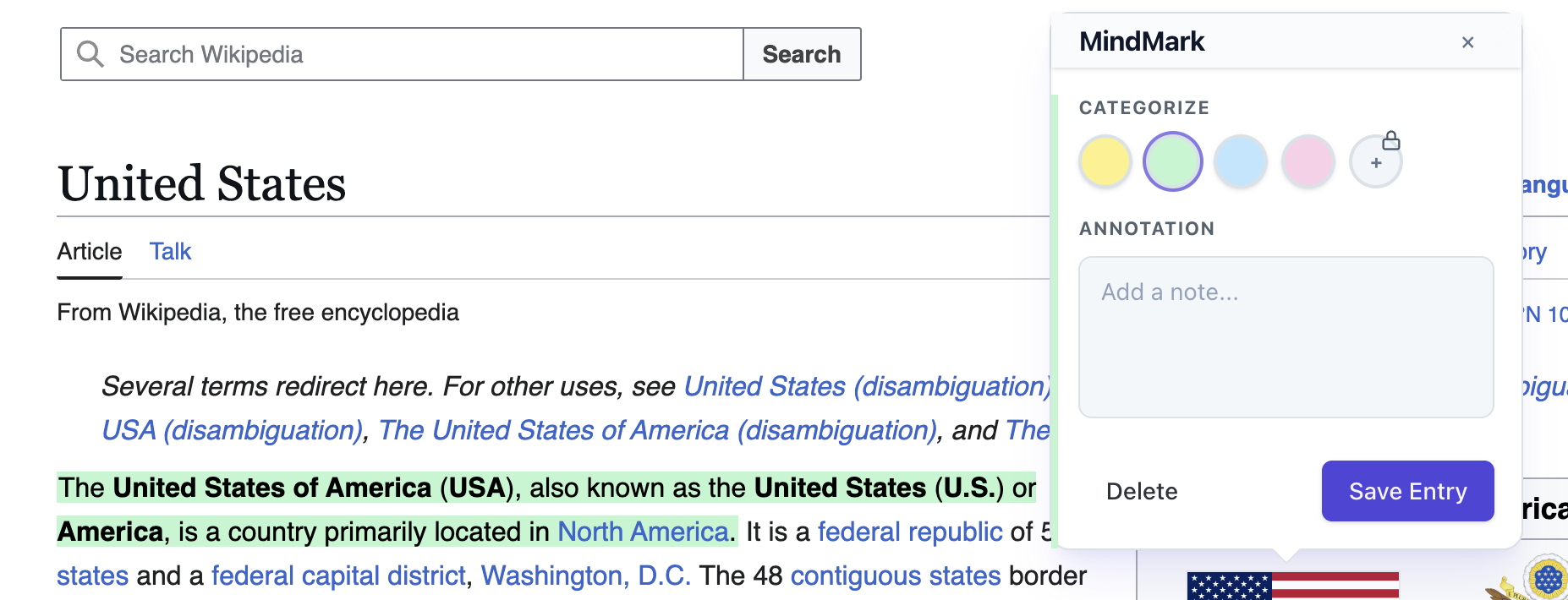
One-Click Capture

Highlight text and add a quick note in one flow without breaking your reading.
MindMark one-click highlight capture on a webpage

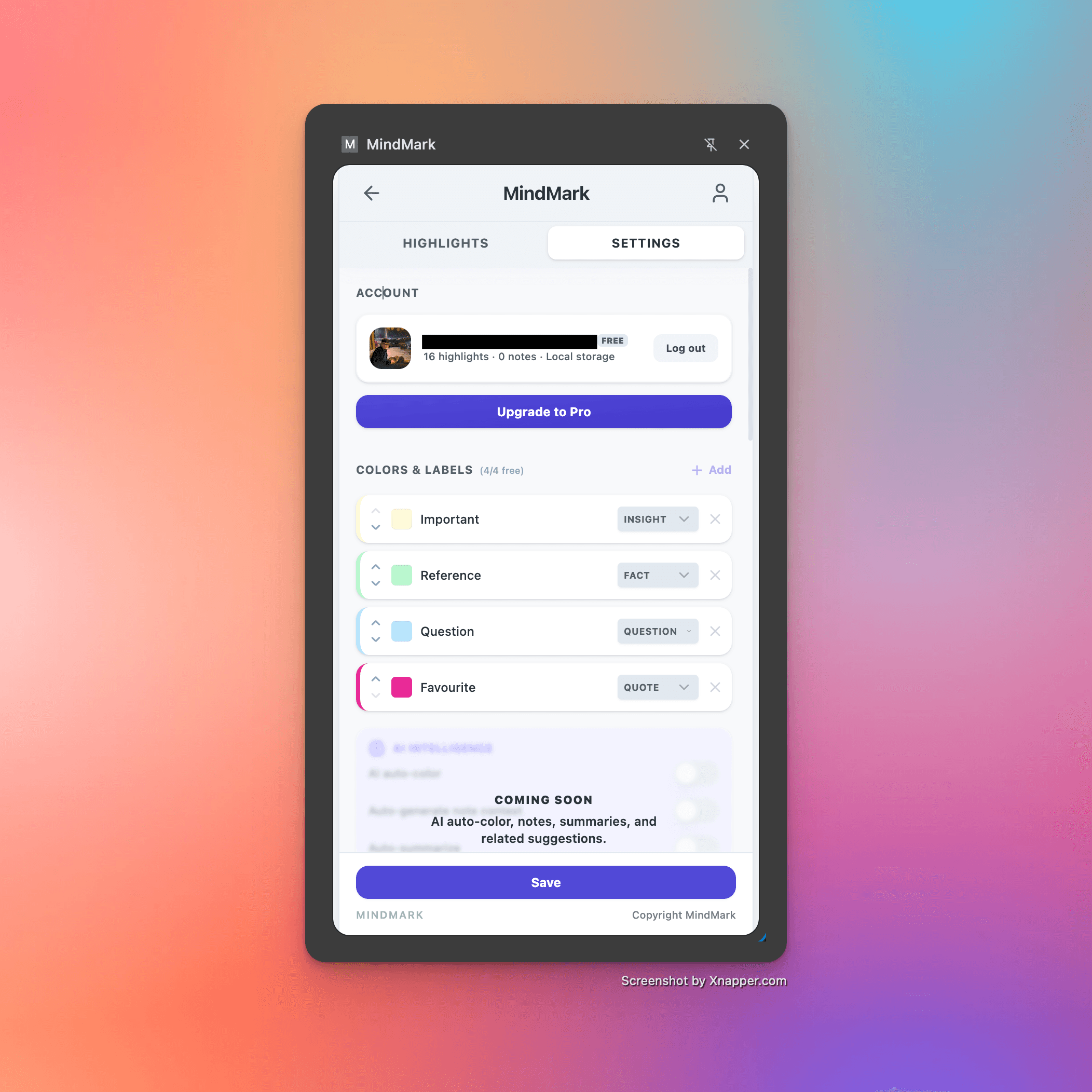
Labels by Intent or Custom

Use Insight, Fact, Question, Quote, or your own categories to organize ideas.
MindMark intent labels and custom tags

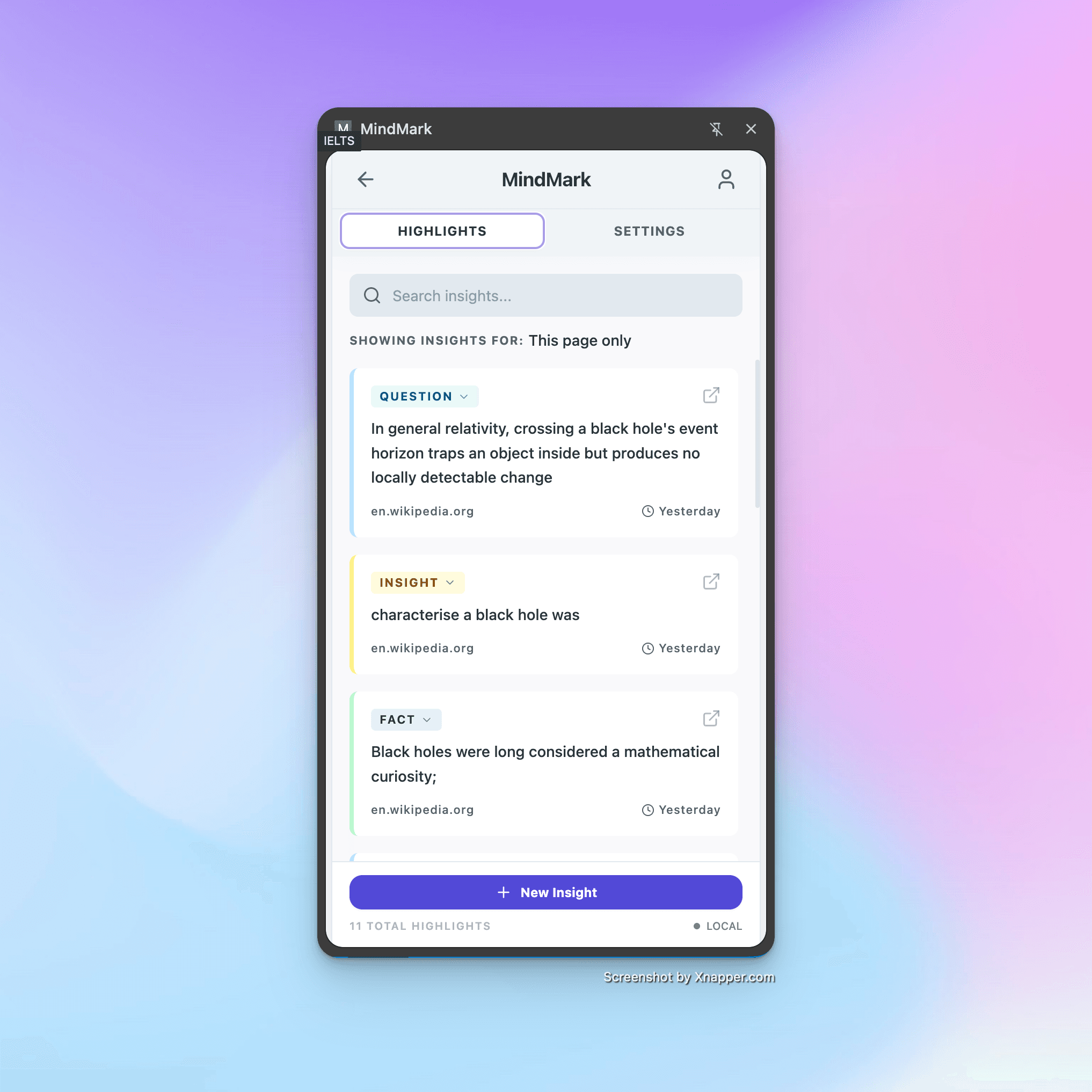
Sync Highlights

Return to a page and keep working with previously saved highlights.
MindMark highlights persisting when revisiting a page

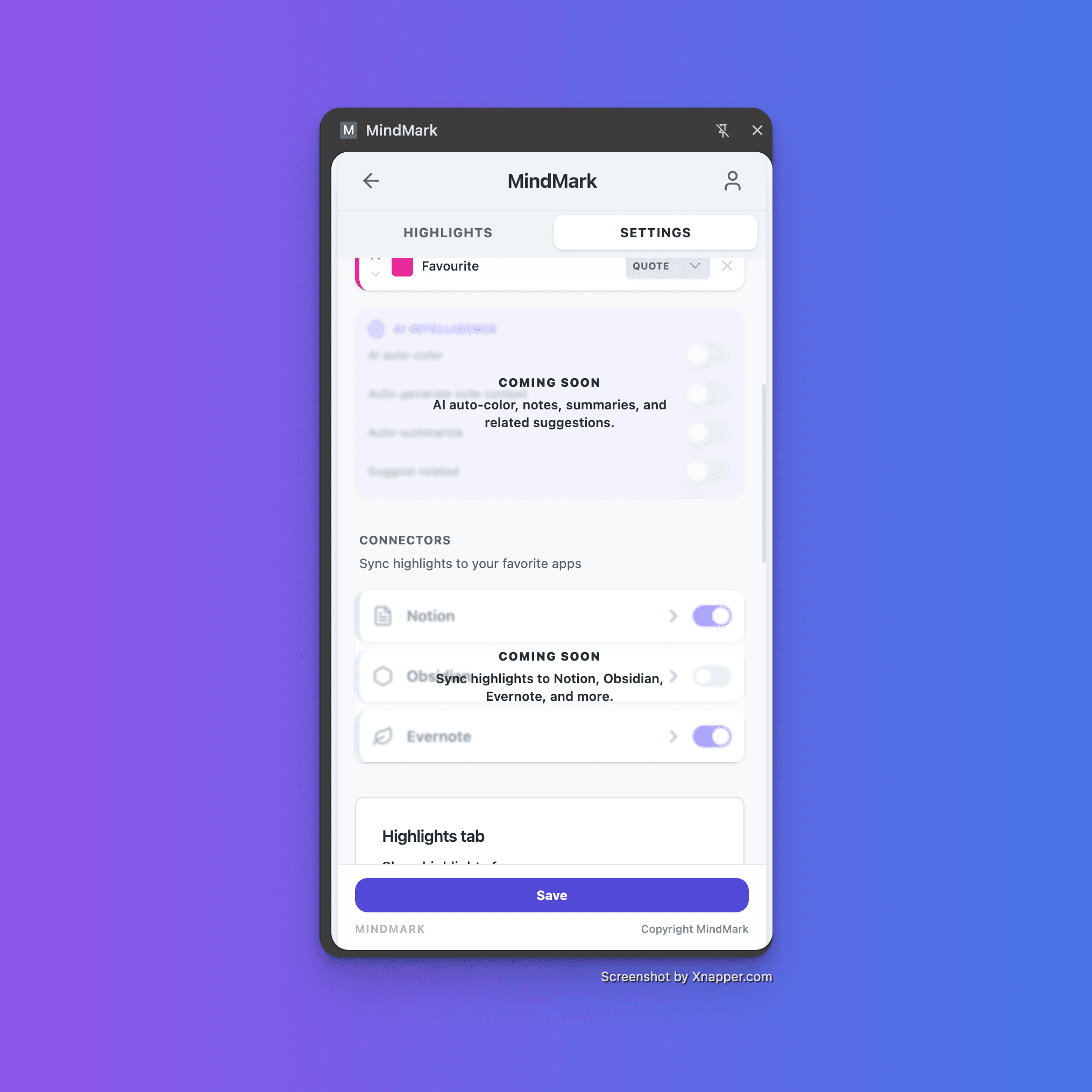
Connectors (Coming Soon)

Sync highlights to tools like Notion, Obsidian, and Evernote in a future release.
MindMark future connectors to notes apps

Testimonials

What Early Readers Are Saying

"I used to paste quotes into a notes doc and lose them a week later. MindMark keeps everything tied to the source page — it's changed how I read papers."
MR

Maya R.

PhD Researcher

"The intent labels are the killer feature for me. Separating facts from questions from quotes means I can actually find things when I sit down to write."
JT

James T.

Indie Writer

"I read a lot of strategy articles during the week. MindMark lets me tag insights as I go, so my Friday review sessions are actually useful now."
PN

Priya N.

Product Manager

"Tried every read-later app. The problem was always retrieval. MindMark solves it by keeping highlights on the page where I found them."
CM

Carlos M.

Startup Founder

"My students highlight everything. MindMark finally gives them a way to make those highlights mean something when they revisit an article."
EV

Elena V.

University Lecturer

"Clean UI, zero friction. I've recommended it to everyone on my team who does any amount of technical reading."
TK

Tom K.

Software Engineer

Pricing

Choose Your Plan

Start free, then upgrade when your research workflow needs deeper automation.

Free

Perfect for starting your capture habit.

$0 /month

Highlight any webpage

Up to 1,000,000 highlights & notes

Up to 10 highlight colors & categories

Add notes to each highlight

Store highlights in browser storage

Export and review basics

Pro

For deeper control and higher limits in heavy reading workflows.

$9 /month

No limit on highlights & notes

Custom categories and advanced controls

Expanded color and behavior settings

Sync highlights to Cloud

Connectors to third-party apps

Digest and reading insights

Priority roadmap access

Pro+

For power users who need the most flexibility and advanced workflows.

$15 /month

Everything in Pro

Advanced workflow controls

Priority support queue

Early access to new releases

Install

Start Highlighting in Chrome

Add MindMark from the Chrome Web Store and start capturing highlights with intent labels on any webpage — free, no credit card required.

Add to Chrome

FAQs

Common Questions